
Stop-loss instructions give an investor a clear, automated way to limit downside without watching prices every minute.
When a security hits a predefined stop level, the instruction converts to a market execution so the trade fills at the best available price. This method helps cap losses during volatile markets and can protect gains when paired with trailing functionality.
Execution gets priority over a set price, so fills may occur below the threshold in fast moves or gaps. That tradeoff favors certainty of execution over price certainty and is vital to understand before using this risk tool.
This guide explains how the mechanism works, contrasts stop versus stop-limit, and shows practical setup steps across asset types. You will see real examples and learn how to align stop placement with portfolio risk limits and security volatility for a balanced, rules-based strategy.
Key Takeaways
- Automated instructions convert to market fills when a set level is reached.
- They help cap losses and can lock in gains with trailing variants.
- Execution may occur below the set price during gaps or fast moves.
- Use them as part of a broader risk management strategy, not a cure-all.
- Not all investors need them; long-term holders may tolerate short-term drawdowns.
What Are Stop-Loss Orders and Why They Matter Today
A pre-set trigger converts a dormant instruction into live execution when prices hit it. This tool sits hidden until a defined stop price is struck on a given security.
For long positions, a sell trigger is normally placed below the current market. For short positions or breakout entries, a buy trigger sits above market. When the stop price trades, the stop-loss order becomes a market order and executes at the next available price.
How the trigger works
- The instruction remains inactive and hidden until the specified stop price trades.
- Once executed at or through that price, the instruction converts and the order becomes market.
- Because the order becomes market, fills seek the best available price in the live book and can deviate from the exact stop.
“In fast or gapping markets, execution certainty often outweighs price certainty.”
With higher intraday volatility and news-driven gaps today, automated exits help manage potential losses and reduce decision fatigue. Size positions and set stops with expected price swings in mind to avoid routine triggers from normal noise.
Stop-Loss Orders vs. Stop-Limit Orders: Key Differences
Choosing between a trigger that guarantees execution and one that enforces a price cap is central to managing downside risk. Each approach handles activation and fills differently, so match the method to your tolerance for slippage and non-execution.
When a stop order becomes a market order
A standard sell stop placed at or below a trigger converts to a market order when the trigger trades. That means the order becomes market and executes at the best available price, which may be below your stop in fast moves.
Limit price protection and the risk of no execution
A stop-limit order needs both a stop and a limit price. After the stop triggers, it converts to a limit order and fills only at the limit price or better. That preserves price control but can leave you without an exit during rapid declines.
Which order type to use in volatile or gapping markets
In gapping conditions, a stop usually secures an exit despite slippage. A stop-limit may not fill if prices jump past both the stop and the limit. Place the limit slightly below the stop to improve odds, but know that large gaps can still skip both levels.
| Feature | Stop Order | Stop-Limit Order |
|---|---|---|
| Activation | Trigger converts and becomes market order | Trigger converts to a limit order |
| Execution | High probability of exit; price may vary | Price capped at limit price; risk of no fill |
| Best use | Fast, volatile markets when exit is essential | When avoiding a bad price is more important than guaranteed exit |
“Match the method to your risk: use a stop for assured exit, a stop-limit to protect price when non-execution is acceptable.”
Core Benefits: Discipline, Risk Control, and Less Screen Time
Placing a preset protective level helps an investor follow a plan instead of reacting to fear or euphoria. Predefined exits enforce discipline by executing the trade according to the original strategy rather than emotion.
Risk control is built into each position when you set a clear cap on potential loss. That targeted threshold keeps downside predictable and ties individual trades to portfolio rules.
- Time efficiency: Automated execution lets traders step away without missing important moves.
- Portfolio hygiene: Pairing protective levels with position sizing preserves consistent risk per trade.
- Behavioral edge: Stops curb the urge to “give it one more chance” and limit sunk-cost bias.
- Profit protection: Trailing functionality raises the protective level as the market advances.
Short-term traders often rely on these rules heavily, while long-term investors may use them around events. Remember: this tool supports a wider risk-management framework, not a substitute for sound entry selection, diversification, and active oversight.
Known Risks: Gaps, Whipsaws, and Choppy Markets
Gaps, sudden reversals, and thin liquidity can turn a well-placed protection into an unexpected exit.
Gap risk: If a stock opens far below the prior close after news, a sell stop set at the stop price will trigger. That trigger converts to a market order and can fill well below the stop price, producing larger than expected losses.
Whipsaw risk: Choppy markets can briefly push prices through a level and then reverse. That move may cause a premature exit and a missed recovery, especially during volatile sessions.

How to reduce exposure
- Set stops with typical volatility in mind and avoid obvious support levels where liquidity hunts occur.
- Consider event risk and widen the buffer around the stop during earnings or halts.
- Remember stop-limit protection avoids fills below a limit but may not execute, leaving a position exposed to further loss.
- Be extra cautious at the open and right after halts—spreads widen and liquidity thins in those markets.
“Automated protection enforces discipline but does not guarantee a minimum execution price.”
How to Set Up a Stop Order Step by Step
Start with the side: choose buy or sell to match your intent. For a long position that needs protection, pick a sell stop below market. For a short entry or protection, use a buy stop placed above market.
Entering trade details on your broker
Open the trade ticket and enter ticker, quantity, and the specific stop price. Select the stop order type so the platform notes the trigger logic.
Review the ticket preview for execution notes. The preview will usually state that the order converts to a market order at trigger and may fill at prevailing market price.
Day vs. good‑til‑canceled (GTC)
Choose time-in-force: a Day instruction cancels at session close if not triggered. GTC keeps the instruction active until executed or canceled per your broker policy.
Final checks and extras
- Confirm the stop price sits correctly relative to current market—sell stops below, buy stops above.
- Add alerts so you know when price approaches the trigger and can reassess the level if volatility shifts.
- If using a trailing variant, set the percent or point offset and note many brokers manage the trailing logic server-side until the trigger is met.
- Verify the security is eligible for this function; some names may be restricted at your broker.
Choosing the Right Stop Level: Percentage, Points, and Volatility
Deciding how far to place a protective level begins with measuring how the market actually moves.
Many traders pick a percentage or a fixed points distance from entry. Percentage rules (for example 5%) scale with price, while point-based rules fit low‑priced names better. Match the method to position sizing and typical movement of the security.
Use recent data to calculate the average daily range. Place the stop price outside normal noise so routine swings do not trigger an exit.
Tie stops to portfolio rules by capping per-trade risk at 1%–3% of account value. Back-solve position size from that risk and the stop distance to keep losses predictable.
Also use technical context: put stops beyond support or below a swing low for longs, and above swing highs for shorts. Widen levels in volatile regimes or shrink position size to keep dollar risk steady.
- Reassess after earnings or macro news—average ranges can change.
- Balance protection and participation: too tight exits hurt winners; too loose ones erode account value.
“A data-driven level that respects technical context keeps risk manageable while letting trades breathe.”
Trailing Stops: Locking In Profits While Limiting Losses
A trailing stop is a dynamic protection that moves a protective level up as a winning position rises. It follows the bid for long positions by a fixed percentage or amount, then holds that high-water mark when the market reverses.
How a trailing stop adjusts with market price
The threshold only advances in a favorable direction; it never widens when price falls. This behavior locks in progressively higher protective levels while letting the trade run during an uptrend.
When a trailing stop becomes a market order
When price retraces by the set offset from the peak, the trailing stop becomes market and the order routes for immediate execution at the prevailing market price. For example: a 5% trail placed at $100 that climbs to $109 will trigger if price falls about 5% to roughly $103.55 and then becomes market order.
“Many brokers keep trailing logic server-side until the trigger, then send a market order for execution.”
Choose a percentage or dollar amount based on volatility: higher swings need wider trails to avoid premature exits. Use this tool for swing trades, post-breakout management, or to protect winners without constant manual adjustment.
Note: trailing protection carries the same slippage and gap risks as other stops in thin liquidity or overnight gaps.
Practical Examples of Stop, Stop-Limit, and Trailing-Stop Orders
Concrete scenarios help illustrate the tradeoffs between execution and price control. Below are three short examples that show how a protective setup can behave in live trading.
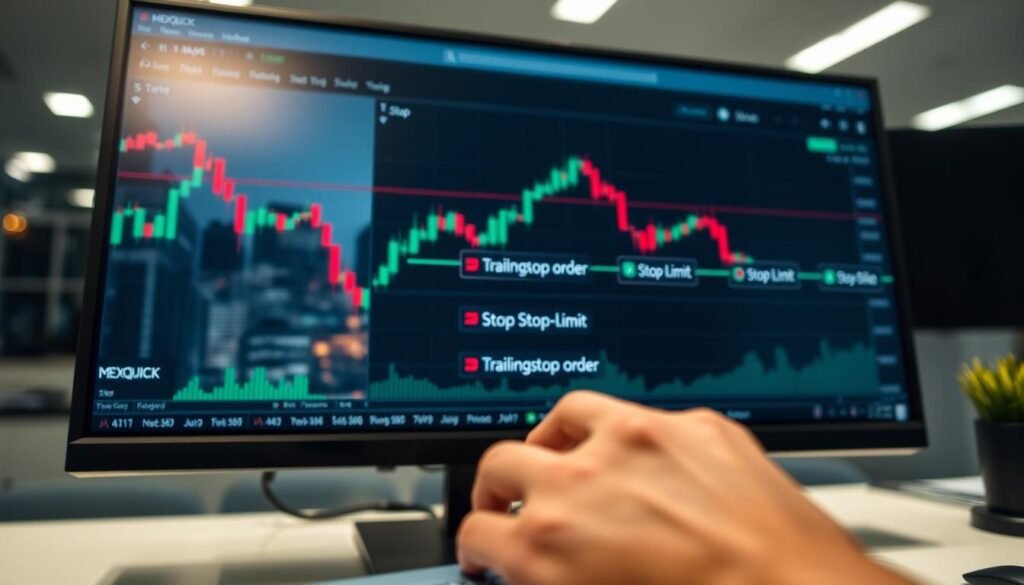
Sell stop after an earnings shock
A trader owns 500 shares bought at $100 and places a sell stop at $90. After weak earnings the stock gaps down and the stop price is reached on the open.
The instruction becomes a market order and the fill occurs near the next available price, closing the position around $49.50. Despite slippage, the automated exit prevented holding through a deeper loss.
Stop-limit with distinct stop and limit prices
Example: stop at $87.50 with a limit price of $87.00. When the trigger hits, the stop-limit order seeks to sell at or above the limit.
Placing the limit below the stop raises fill probability, but fast drops can still bypass both and leave the trade unfilled.
Trailing-stop percentage that follows a rising stock
A 5% trailing stop placed at $100 climbs with the stock to $109. If price falls roughly 5% from the peak, the trail converts to a market order and exits near the best available price.
Tip: Test each example with small share sizes to learn how your broker fills large versus thinly traded names.
Platform and Policy Considerations for U.S. Investors
Broker platforms differ widely in what trading features they support and which securities they permit.
Check broker policy before you place protection. Many U.S. brokers restrict certain security types, such as OTC or low‑priced penny names.
Not all order types are available for every asset class or listing venue. Platform features determine how triggers are detected and how a routed order reaches the market.
Common platform rules and practical tips
- Choose Day or GTC carefully. A Day instruction cancels at session close; GTC may have broker-defined maximum duration.
- Trailing protection often lives on the broker’s server until it triggers, then the order is sent to public routing.
- Review disclosures on routing venues and execution quality to understand how spreads or halts can affect fills and price outcomes.
- Practice with small sizes or use a paper account to learn platform-specific behavior and any security restrictions.
“Know your platform’s limits—policy and implementation shape real-world execution.”
Conclusion
Practical protection blends execution certainty with sensible placement tied to volatility.
Use stop-loss orders as an execution-first tool to cap downside and remove emotion from exits. Contrast that with a stop-limit, which protects price but can fail to fill during gaps or halts.
Align protective levels with recent volatility, technical context, and a consistent portfolio risk limit. Employ trailing stops to lock gains, while accepting that a trigger routes to market and fills at prevailing prices.
Finally, learn your broker policies, check eligible securities and time-in-force settings, and size positions so a disciplined stop program adds measurable, risk-adjusted value over time.
FAQ
What is a stop order and how does it work?
A stop order is an instruction that becomes a market order once the stock hits a preset stop price. When that price is reached, the instruction sends a market order to the exchange so the position is sold or bought at the best available price. This converts a planned exit into an active trade without needing to watch prices constantly.
How does a stop-limit order differ from a stop that becomes a market order?
A stop-limit order uses two prices: the stop price that triggers the order and a limit price that sets the worst acceptable execution. When the stop price is hit, the order becomes a limit order rather than a market order, which can prevent severe slippage but also creates the risk of no execution if prices move quickly past the limit price.
When should I use a market-converting stop vs. a stop-limit?
Use a market-converting stop when you prioritize execution and want to exit a position quickly, such as during fast declines. Use a stop-limit when avoiding execution below a certain price matters more, for example to protect a minimum sale value. In gapping or highly volatile markets, a market-converting stop usually guarantees exit but at an uncertain price.
What are the main benefits of using stops for individual investors?
Stops provide discipline, limit downside risk, and reduce the need for constant monitoring. They help enforce risk management rules, protect gains, and can align with position-sizing strategies so losses stay within acceptable portfolio limits.
What risks should I be aware of when placing a stop?
Key risks include price gaps at market open that skip the stop price, slippage where execution occurs well below the stop, and whipsaws in choppy markets that trigger premature exits. Thinly traded securities can worsen these effects because the best available price may be far from the stop price.
How do I set up a stop on a broker platform?
Choose whether the order is a buy stop or sell stop based on direction, enter the stop price in the platform field, and select the duration—day or good‑til‑canceled (GTC). Confirm order details and review your broker’s policy on execution and partial fills before submitting.
How do I choose the right stop level—percentage, points, or volatility?
Combine methods: use recent price action and average daily range to avoid normal noise, set a percentage or points limit tied to your risk per trade (commonly 1%–3% of portfolio value), and align the stop with nearby technical support or resistance for context.
What is a trailing stop and how does it operate?
A trailing stop moves with the market price by a fixed dollar amount or percentage. As the security rises, the stop price adjusts upward, locking in gains. If the price falls by the set amount, the trailing stop triggers and converts to a market order (or a limit, if using a trailing stop-limit).
When does a trailing stop become a market order?
A trailing stop becomes a market order when the adjusted stop price is reached. At that moment, the platform sends a market order to sell or buy at the best available price, which can result in slippage during fast moves or low-liquidity periods.
Can you give practical examples of stop, stop-limit, and trailing stop use?
Example: after an earnings shock, an investor may place a sell stop below a support level to limit losses. For a stop-limit, set a stop at and a limit at to avoid selling under . For a rising winner, a trader might use a 10% trailing stop so the position automatically locks profit when the stock reverses by 10%.
How do platform and policy differences affect U.S. investors?
Brokers vary on which securities accept stop, stop-limit, or trailing stop features, and they enforce different rules for order routing, partial fills, and GTC durations. Review your broker’s margin and short-selling restrictions, and confirm whether certain OTC or low-float stocks accept these instruction types.
How should I incorporate stops into an overall risk-management plan?
Define maximum loss per trade and portfolio exposure, size positions so a stop at a chosen level equals your risk limit, and document the rationale for each stop using technical or volatility-based methods. Regularly review performance and adjust rules to reflect changing market conditions.